SMS Opt-In Process
This page documents how Nudge collects customer consent before sending SMS payment reminder messages on behalf of contractors.
✓ Opt-In Summary
- Consent is collected verbally by the contractor before adding the customer's phone number.
- The contractor confirms consent by checking an explicit checkbox in the customer profile form inside the Nudge app.
- Consent is stored in the customer record with a timestamp. SMS reminders are blocked unless consent is on file.
- The first SMS sent to any new number is an opt-in confirmation with full disclosures.
- Customers may opt out at any time by replying STOP.
- Message frequency varies. Message and data rates may apply.
Step-by-Step Consent Flow
Contractor creates an invoice and asks for customer's phone number
When a contractor creates a new invoice in the Nudge app, they are prompted to enter the customer's mobile number. Before doing so, the contractor asks the customer for verbal consent using the recommended script:
"May we send you SMS payment reminders for this invoice? Message frequency varies. Message and data rates may apply. You can reply STOP to unsubscribe at any time."
Contractor checks the SMS consent box in the customer profile
After entering the customer's phone number in the Add / Edit Customer form, the Nudge app immediately reveals a consent checkbox. The contractor must check it to confirm they have obtained consent before SMS reminders can be enabled for that customer. The consent and its timestamp are stored in the customer record.
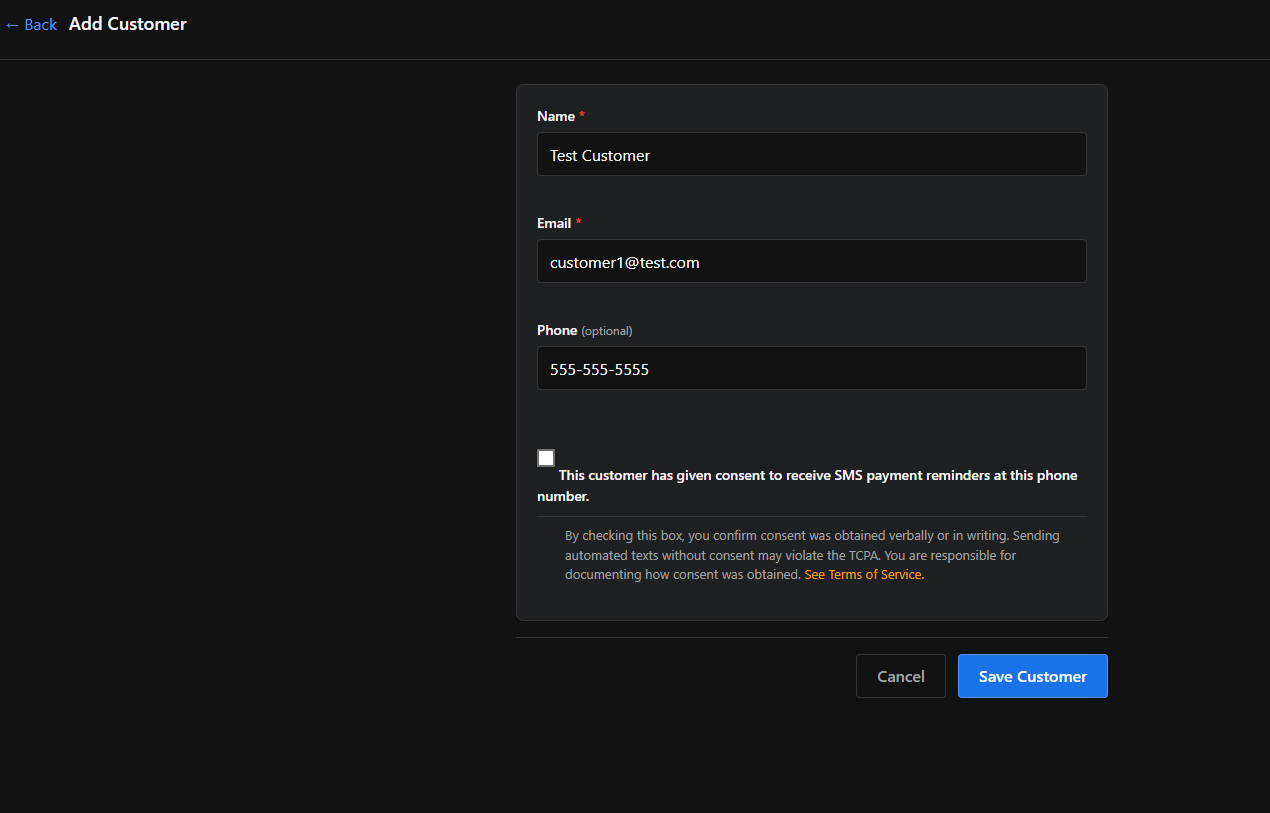
Actual Nudge app — Add Customer screen. The SMS consent checkbox appears as soon as a phone number is typed.
SMS reminders are blocked if no consent is on file
When a contractor creates an invoice, the SMS reminder channel is automatically disabled if the selected customer has no consent record. The contractor must first update the customer profile to record consent before SMS options become available.
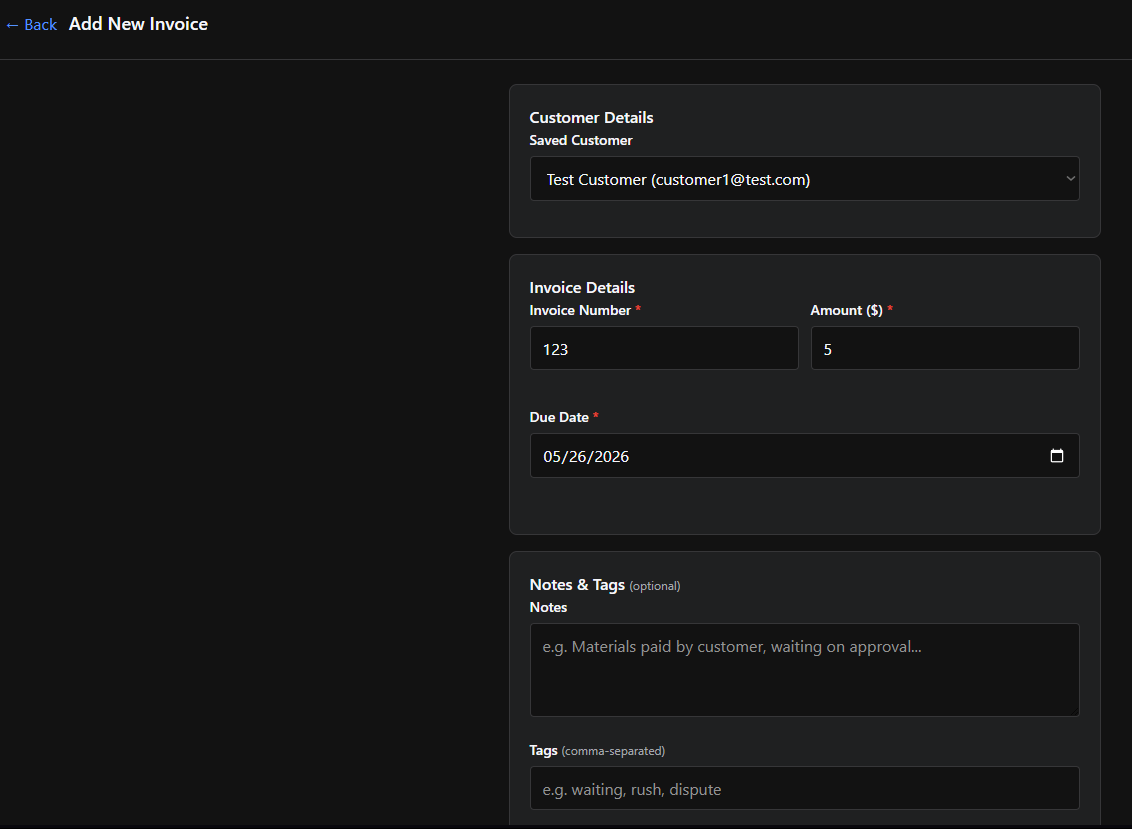
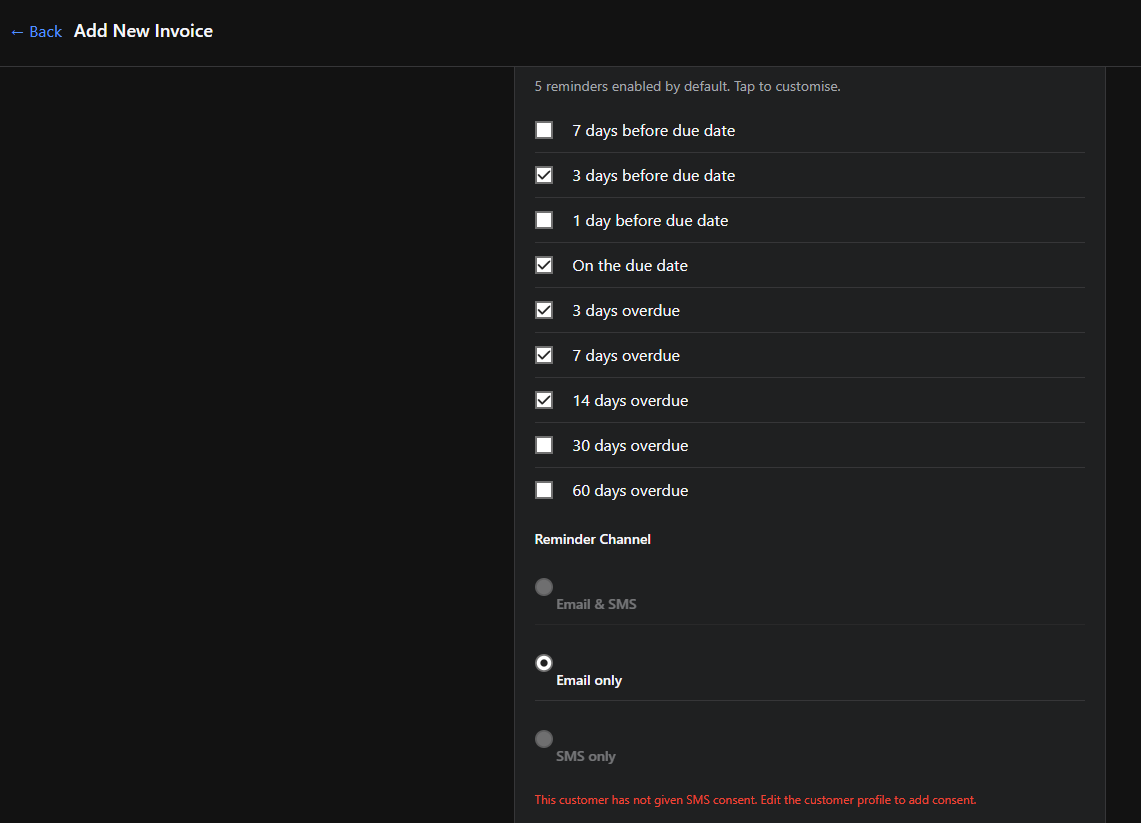
Actual Nudge app — Add New Invoice screen. When a customer without SMS consent is selected, the “Email & SMS” and “SMS only” channels are greyed out and a warning is shown.
Customer receives opt-in confirmation as their first SMS
Before any payment reminder is sent, the customer receives an opt-in confirmation message. This is the very first SMS a given phone number receives from any contractor on Nudge:
Customer receives automated payment reminders
Subsequent messages are invoice payment reminders sent according to the contractor's configured schedule (e.g., 3 days before, due date, 7 days overdue). All messages include opt-out instructions:
Customer can opt out at any time
Replying STOP to any message immediately removes the customer's number from all future reminders for that contractor. Replying HELP returns our support contact: support@nudgepay.app.
Related Policies
📄 Privacy Policy — includes explicit statement that mobile opt-in data is not shared with third parties.
📄 Terms of Service — includes SMS Messaging Program disclosures: message frequency, rates, STOP/HELP instructions.